
Did you know that you can download updates to your 8-inch Aces Handheld Controller over WiFi? It’s probably easier than you’ve realized. We've cooked up a little video tutorial that walks you through the whole process. You can check it out here. Let's get started:
- From the Main Menu, click “Settings.”
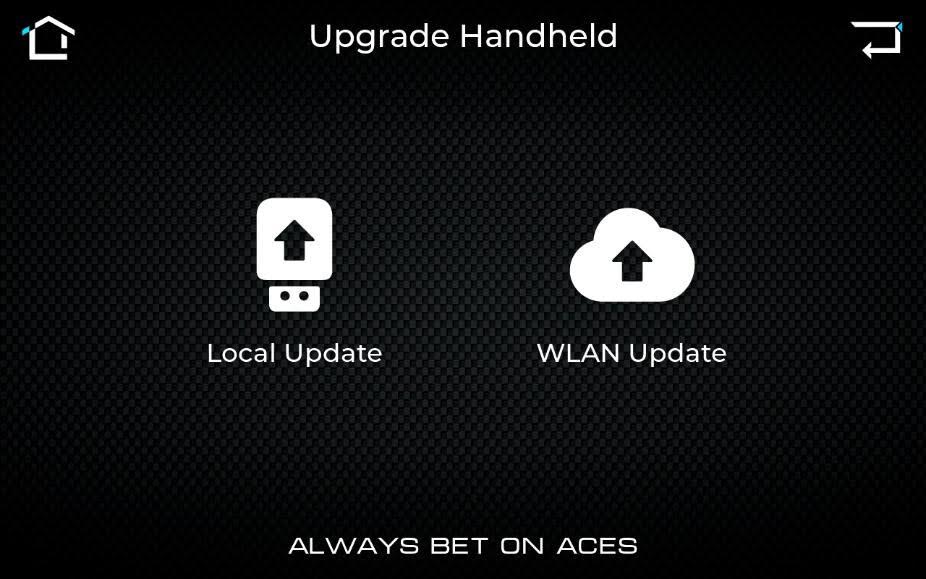
- Click “Upgrade Handheld.”
- If you wish to upgrade via USB, you may now click “Local Update.” Since we want to update over WiFi, we’ll click “WLAN Update.”
- Your system will automatically search for WiFi connections in your area. Select your network and enter your network password.
- Click “Check For Updates” to scan for available Handheld updates over WiFi. If the system finds an update, click “Update Now.”
- IMPORTANT: While the system is updating, do not perform any actions or turn the system off. This could cause data corruption.
- When the update completes, it should apply automatically. You can check which system version your Handheld uses on the “About” page on the Main Menu.
Please note that only the 8-inch Handheld has a Wifi adapter. The 5- and 7-inch Handhelds can be updated via USB. If any issues arise, you can always contact Support right here at Acesefi.com.



Dejar un comentario
Este sitio está protegido por hCaptcha y se aplican la Política de privacidad de hCaptcha y los Términos del servicio.