

Transmission VSS Setup
The purpose of the VSS correction is to ensure that the ECU accurately calculates vehicle speed based on the transmission reluctor ring. This allows the ECU to manage shift points correctly and ensures proper transmission operation.
You will need to know your tire diameter and rear gear ratio, along with an external GPS speedometer reference (such as a cell phone or tablet), before performing this procedure.
1. Power on your Aces system and select Menu from the top-right corner.

2. Select the Tuning option.

3. Select the Transmission option.

4. Scroll until you see Tire Diameter, Rear Gear Ratio, and VSS Correction, and adjust these parameters for your specific application. For VSS Calculation Correction, continue to the next section.

VSS Calc Correction
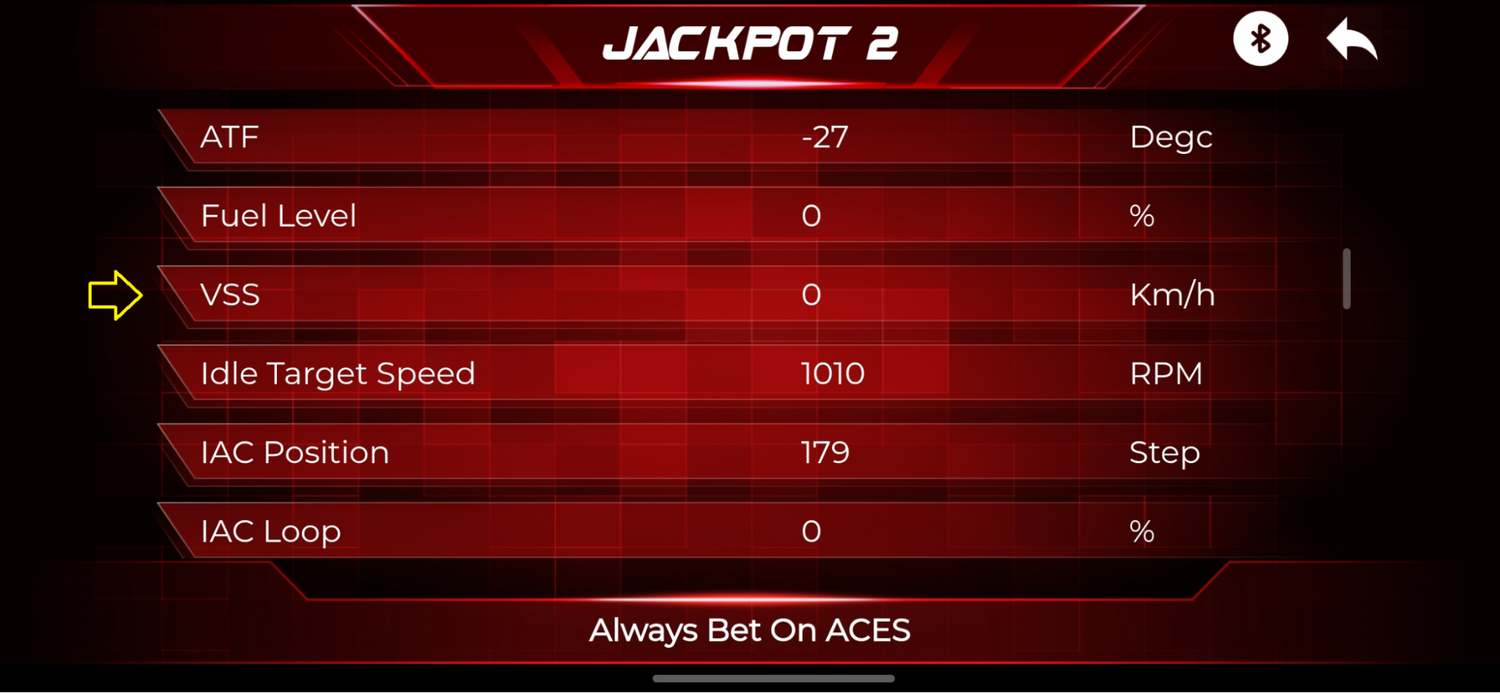
Using your GPS speed source (phone, tablet, etc.), verify that the speed the ECU is receiving matches the GPS reading. Adjust the VSS Calc Correction value as needed to achieve a match. You can verify the speed reading using the process outlined below.
1. Select the Monitor option.

2. Select the Sensors option.

3. This allows you to verify the VSS speed reading against the GPS source. Adjust the VSS Calc Correction in the steps above to ensure both speed readings are similar, and repeat the process as needed.



Leave a comment
This site is protected by hCaptcha and the hCaptcha Privacy Policy and Terms of Service apply.